
Soniq Studio sends emails to you and to the people you teach or bill. This page lists every email, who receives it, and what makes it go out.
Notification settings
Account › Notifications holds one setting.
| Setting | Default | Effect |
|---|---|---|
| Weekly Digest | On | Turns the weekly digest email on or off. |
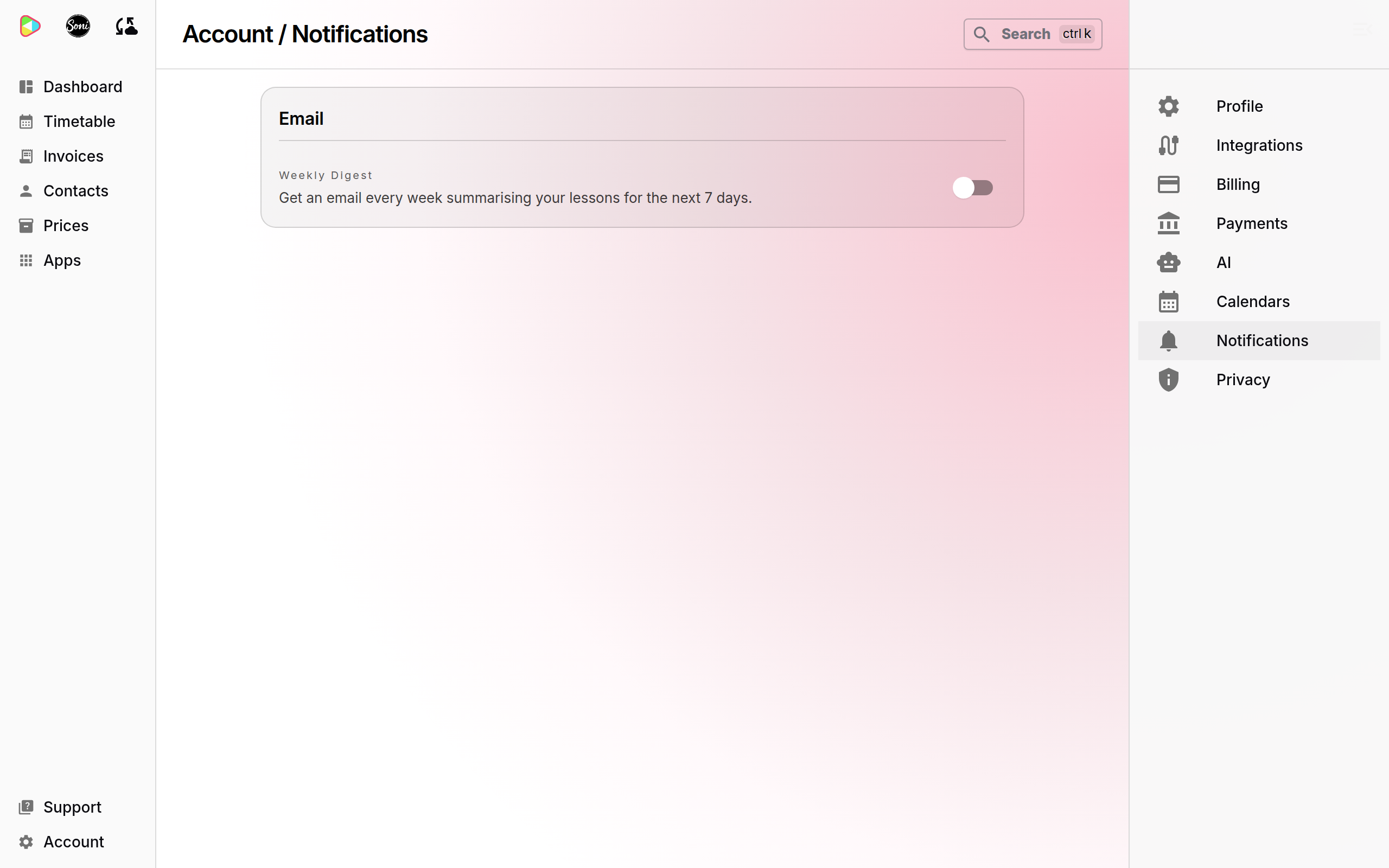
The weekly digest is the only email you can turn off. Every other email goes out when its trigger happens.
Weekly digest
| Subject | Weekly Digest for your name |
| Sent to | You |
| When | Every Sunday at 05:00 UTC |
| Contents | Your lessons for the next 7 days, and your overdue invoices |
| Skipped when | You have no lessons in the next 7 days and no overdue invoices |
| Overdue invoice | An open invoice whose due date has passed |
The email footer has a link, Manage your Soniq Studio notifications, to the Notifications page.
Emails to you
These emails come from Soniq Studio (support@soniq.studio).
| Email subject | Trigger | Plan |
|---|---|---|
| Welcome to Soniq Studio – Where Music Comes Alive | You finish signing up. | All |
| Weekly Digest for your name | Every Sunday. See Weekly digest. | All |
| [Copy] reminder subject | A payment reminder goes to a student. You get a copy. See Payment reminders. | Professional |
| A Direct Debit payment from your student couldn’t be collected | A student’s online payment fails and GoCardless will not try again. | All |
| A student’s Direct Debit is no longer active | A student’s Direct Debit is cancelled, expires or fails. | All |
| A refund to your student couldn’t be processed | A refund you made through GoCardless fails. | All |
| We couldn’t collect your Soniq Studio subscription payment | A payment for your Professional subscription fails. | Professional |
| Your Soniq Studio subscription has been cancelled | Your Professional subscription ends because payments failed. You do not get this email when you cancel it yourself. | Professional |
Emails to your students and their payers
These emails show your name as the sender. When the student or payer replies, the reply goes to your email address.
| Email subject | Sent to | Trigger |
|---|---|---|
| Soniq Invoice number from your name | The invoice recipient | You send the invoice. Generating invoices does not send them, unless you tick Send immediately. The invoice PDF is attached. |
| PAID: Soniq Invoice number from your name | The invoice recipient | An online payment pays the invoice in full. Mark as Paid does not send this email. |
| CANCELLED: Soniq Invoice number from your name | The invoice recipient | You cancel an open invoice. Cancelling a draft invoice sends nothing. |
| Credit note number from your name | The credit note recipient | You action a credit note. Not sent when you tick I’ve already returned the money — record the refund now. |
| Refund receipt: credit note number from your name | The credit note recipient | The credit note is fully refunded. |
| A lesson credit from your name | The family that is owed the lesson | You add a lesson credit, or you cancel a lesson with Owe a makeup lesson, or you choose Makeup in Make it right. |
| Your makeup lesson with your name | The family that is owed the lesson | You select Give as a makeup on a lesson. |
| Reminder: invoice number from your name | The invoice recipient | First payment reminder. See Payment reminders. |
| Second reminder: invoice number is days days overdue | The invoice recipient | Second payment reminder. |
| Final reminder: invoice number | The invoice recipient | Third payment reminder. |
| Your Direct Debit is set up | The invoice recipient | The payer sets up a Direct Debit on the payment page and the first payment is created. |
| Your account with your name | The payer, or the address you enter | You select Email links in the Contact portal section. |
| Soniq Message from your name | The contact | You send a message from the contact page. |
No email goes to a contact who has no email address.
Removing a lesson credit, or giving a makeup back, sends no email.
Payment reminders
| Label on the pricing page | Invoice auto-reminders |
| Plan | Professional only |
| When | 3, 14 and 30 days after the invoice due date |
| Checked | Every day at 05:20 UTC |
| Copy to you | Yes, each reminder, with “[Copy]” at the start of the subject |
| On the Community plan | No reminders. Reminders in progress stop when an account moves to Community. |
See How to handle a failed or missed payment and Why chasing money should not cost you the relationship.
Feature availability
The Contact portal section and its Email links button are available to founding members with early features turned on.
Sign-in emails
The sign-in service sends two more emails, from Soniq Studio (support@soniq.studio):
- an email to confirm your email address when you create an account,
- a Reset password email when you select Forgot Password?. The link works for 5 minutes.
See How to manage your account details and sign-in.